


 Visit website

Raval
Chrome Extensions
About
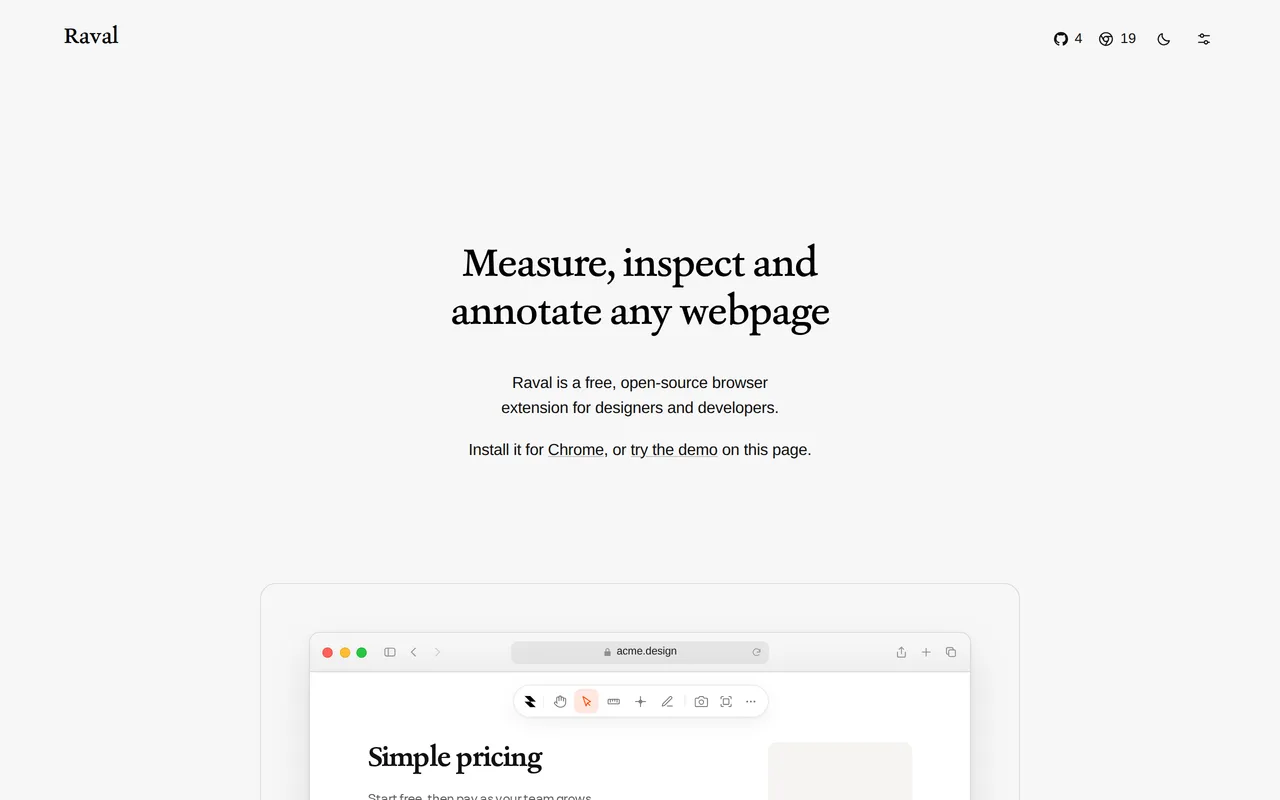
Open-source extension to measure, inspect and annotate any webpage
Raval is an open-source extension you add to your browser to measure, inspect and annotate any webpage. Check your own work or study any site: measure the gap between any two elements, line things up with guides that snap to edges, see the fonts, sizes and colours a page uses, mark up what is off and pull out its design tokens as JSON.
Features & use cases
- Measure the gap between any two elements
- Guides that snap to edges
- Inspect fonts, sizes and colours
- Annotate and screenshot what is off
- Export design tokens as JSON
Who reaches for it
- Designers checking a build against the design
- Developers studying the spacing of other sites
Getting it
Raval is open source and runs as a Chrome extension with keyboard shortcuts.
Ready to try Raval?
Opens raval.solomonakuson.com in a new tab.
Made Raval? Add the badge to your site
Paste this where you show press or listings. It links back to this page.

<a href="https://designbookmark.com/tool/raval?ref=badge" target="_blank"><img src="https://designbookmark.com/badge/listed-dark.svg" alt="Listed on DesignBookmark" width="200" height="56"></a>
<a href="https://designbookmark.com/tool/raval?ref=badge" target="_blank"><img src="https://designbookmark.com/badge/listed-light.svg" alt="Listed on DesignBookmark" width="200" height="56"></a>
Similar extensions
The weekly drop
The best new tools, every week. No spam, unsubscribe anytime.
Alternatives & related



More in Chrome Extensions
See all 47
Clico
AI browser extension enhances text boxes by assisting with writing, searching, and summarizing.

NAToolKit
Chrome extension that adds folders, bookmarks and a prompt library to ChatGPT so your chats stay organized.